
 English
 Spanish
How to Track IMEI Number: 5 Ways to Find Your Lost Phone
Posted in Mobile Tracking by Julie
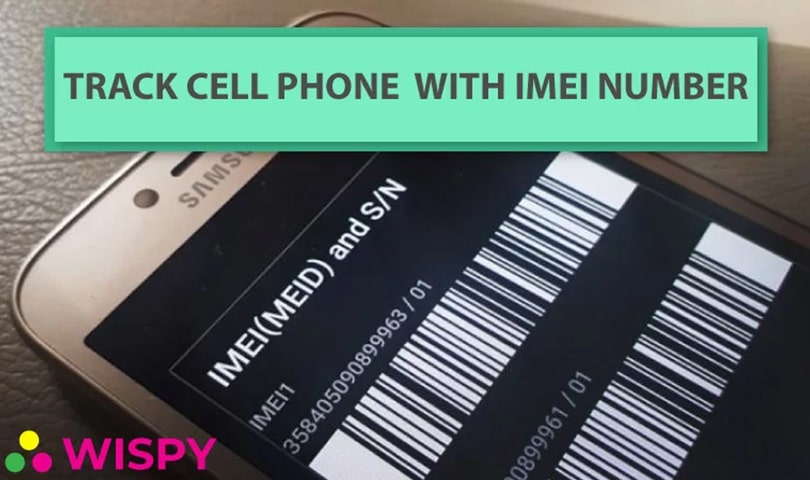
Can you track IMEI number details to find a lost phone? Partly, and only in the right hands. Losing your phone feels terrifying, because it holds your photos, contacts, and personal accounts. So, what can you actually do when it disappears?
Mobile phones are now an essential part of our lives. However, people lose them or have them stolen every day. Fortunately, several tools can help you get a phone back. In this guide, we explain what an IMEI number is, what it can and can’t do, and five practical ways to find a lost device.
First, let’s start with the basics.
What Is an IMEI Number?
IMEI stands for International Mobile Equipment Identity. It is a unique 15-digit number that identifies your phone, much like a serial number. Manufacturers assign it to each device, and it normally stays the same for the life of the phone. Therefore, you should note it down and store it somewhere safe.
Some phones have two IMEI numbers because they support two SIM cards. In that case, save both.
How to Find Your IMEI Number
You can find your IMEI in several ways. Here are the easiest options:
- Check the phone box. The box usually prints the model number, serial number, barcode, and IMEI.
- Dial *#06#. Also, this is the quickest method. A window pops up instantly with your IMEI details.
- Open your settings. Next, go to Settings, then About phone (on iPhone, Settings, General, About).
- Look at the device itself. For example, iPhones often print it on the SIM tray, and some Android phones print it under a removable battery.
- Check your account. Finally, iPhone users can see it after signing in to their Apple ID account.
Can Anyone Track IMEI Number Alone?
No. This is the most important thing to know. Many websites and apps claim they can locate any phone from its IMEI, but they cannot. Only mobile carriers and law enforcement can use an IMEI to trace a device on the network. Moreover, many “free IMEI tracker” sites are scams that collect your data.
So, the safest approach is to combine the IMEI with the official tools below.
5 Ways to Track IMEI Number and Find a Lost Phone
Method 1: Use Google Find Hub on Android
First, try Google’s built-in tool. If your phone is signed in to a Google account, you can locate it from any browser or another device. Open Google’s Find My Device page, sign in, and select your phone. Then you can see its location, play a sound, lock it, or erase it.
Method 2: Use Find My on iPhone
Similarly, iPhone users can use Apple’s Find My feature. Sign in through Apple’s Find My support page or another Apple device. After that, you can view the phone on a map, mark it as lost, and lock it remotely. Both methods work only if the phone was turned on and connected before it went missing.
Method 3: Ask Police to Track Your IMEI Number
Next, report the loss or theft to your local police right away. Give them your phone’s IMEI number, model, and details of when and where you lost it. With help from carriers, investigators can sometimes trace a device by its IMEI. Also, ask for a copy of the report, because your carrier or insurer may need it.
Method 4: Contact Your Carrier to Block the Device
Then, call your mobile carrier. Ask them to suspend your SIM and block the phone’s IMEI. As a result, thieves cannot use the device on the network, which protects you from misuse and unexpected bills. However, blocking does not show you where the phone is, so combine it with Methods 1 to 3.
Method 5: Use a Tracking App Such as TheWiSpy
Finally, a tracking app can add extra features if you set it up in advance. For example, TheWiSpy shows a device’s location and location history on an online dashboard. Here is how to start:
- Choose a plan on the TheWiSpy pricing page.
- Install the app on your own phone, or on your minor child’s phone.
- Log in to the web-based control panel to view the location.
Note that you must install the app before the phone goes missing. Also, use it only on devices you own, on your child’s phone, or on company phones under a clearly disclosed policy. For more options, see our guide to finding a lost phone with tracker apps. You can also learn how to detect a phone’s GPS location.
Tips to Protect Your Phone Before It Goes Missing
Prevention is easier than recovery. Therefore, take these steps today:
- Save your IMEI number in a note or email.
- Turn on Find My Device or Find My.
- Set a strong screen lock, such as a PIN or fingerprint.
- Back up your data regularly.
- Install a trusted tracking app before you need it.
Final Thoughts on How to Track IMEI Number
Losing a phone is stressful, but you have real options. Although the public cannot track an IMEI directly, you can use official tools, police help, and your carrier to improve your chances. In addition, a tracking app like TheWiSpy gives you extra visibility when you install it early. So, save your IMEI today, turn on the built-in tools, and act quickly if your phone disappears.

Related Posts
Is it Possible to Track Cell Phone Location for Free?
Can you track cell phone location for free? Yes, and...
Read More
BYOD Monitoring Policy: Company-Owned vs. Personal Devices
A BYOD monitoring policy needs to account for a fundamental...
Read More
Phone Rules for Teens Without Spying: A Practical Guide
Not every family situation calls for monitoring software. If you're...
Read More
Install TheWiSpy Monitor App Now and Start Exploring Your Kid’s and Employee’s Digital Space
- Protect Your Kids
- Secure Your Business
- Backup Personal Data

 Affiliate Login
 Spanish